Getting Started with cURL

Have you ever wondered what actually happens when you load a website?
You type a URL, press Enter, and suddenly data appears on your screen. But who is sending this data?
Behind the scenes, a server is responsible for sending the data to your website. But this raises an important question:
How does a website send a request to a server, and how is the server’s response handled?
Understanding this request–response cycle is the foundation of how the web works. And in this blog, we’ll explore this process using a powerful command-line tool called curl, which lets us see and control these requests directly.
What is a Server?

A server is a computer connected to internet which accepts requests and send response.
Whenever you open a website or load content, your device sends a request to a server and waits for a response. A server provides response to other computers known as client. This architecture is called as client-server model.
What is cURL?
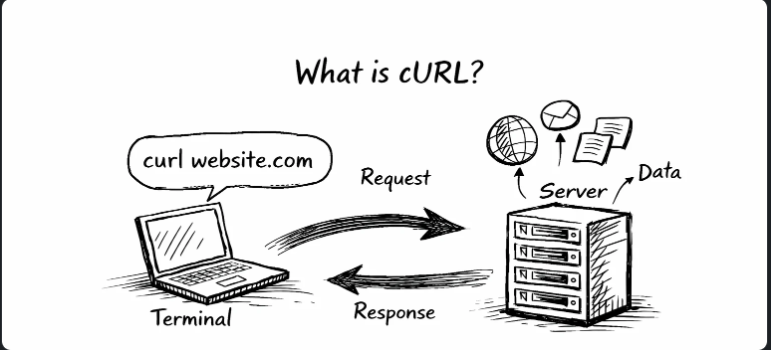
cURL stands for client url. cURL is command line tool used to send request to server and read raw response send by server. We can either transfer data to server or receive data from server using curl. cURL let you talk to a server by specifying the location (in the form of a URL) and the data you want to send. cURL supports several different protocols, including HTTP and HTTPS, and runs on almost every platform. This makes cURL ideal for testing communication from almost any device .
Why programmer need curl?
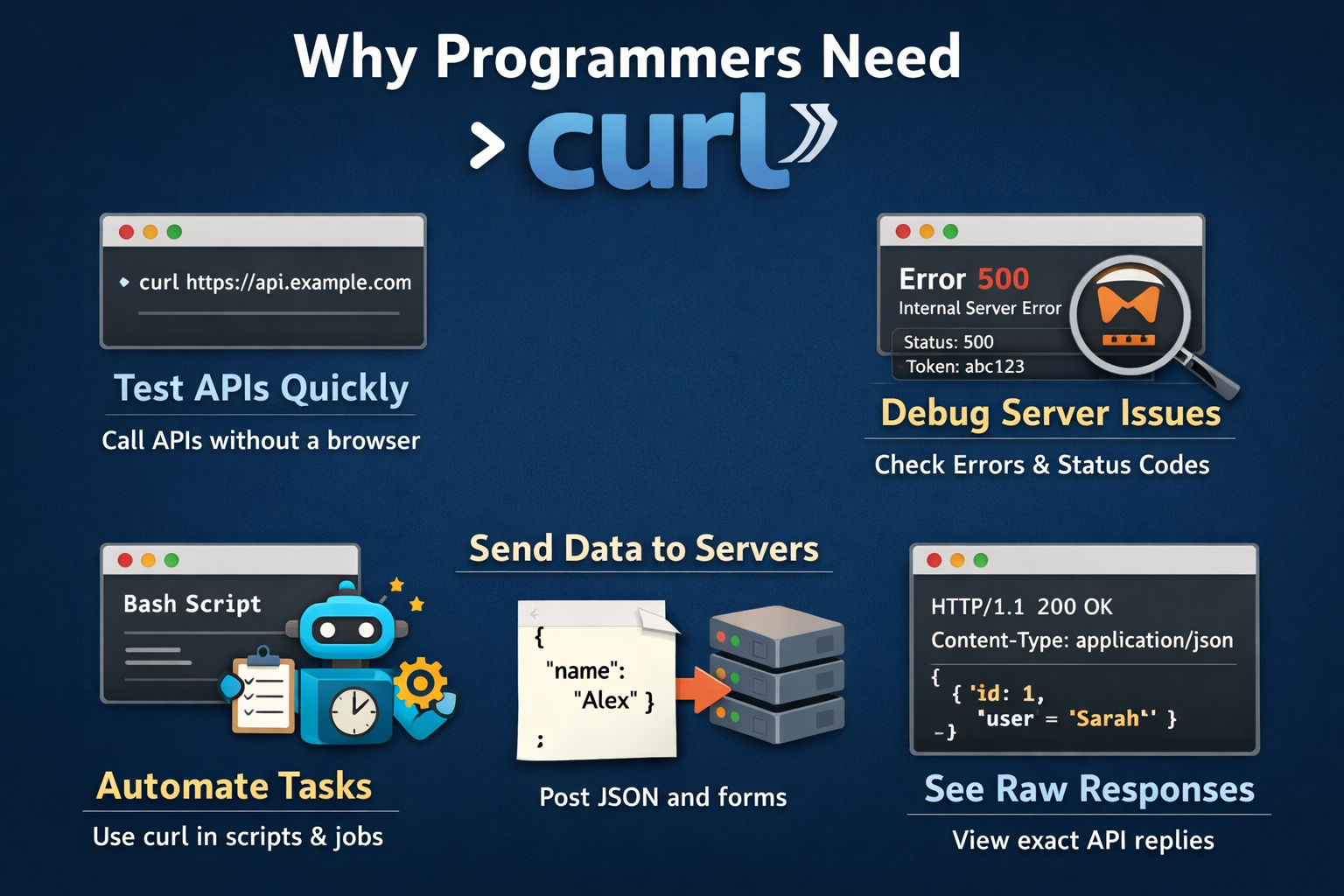
Test APIs quickly:
curl https://api.example.com/users
Instant response
Faster debugging
No React / HTML required
Debug server problems :
With curl you can:
See status codes (200, 401, 500)
Check headers
Verify tokens
Send real data like apps do:
curl -X POST https://api.example.com/login \
     -H "Content-Type: application/json" \
     -d '{"email":"a@b.com","password":"1234"}'
This is exactly how:
Mobile apps
Web apps
Backend services
talk to APIs.
Sending API requests:
We can use curl to send API requests. Each request is generally made up of four main parts:
An endpoint, which is the address (URL) to which we are sending the request.
An HTTP method. The most common methods used are GET, POST, PUT and DELETE.
GET is used to retrieve a resource from a server. This could be a file, information, or an image.
POST is used to send information to the server.
PUT can be used to create or update a resource. This could be used to create or update a record in a database or update the contents of a file.
DELETE is used to delete a resource such as a database entry.
These actions for these methods are the recommended actions, but it's up to the API specification and implementation to define what exactly happens.
Headers, which contain metadata about the request, such as content type, user agent, and so on.
Body, which is the message body and contains the data that we want to send, if any. Generally, the body is used with POST and PUT methods.
GET Command:
curl https://jsonplaceholder.typicode.com/posts

#ouptut
[
  {
    "userId": 1,
    "id": 1,
    "title": "sunt aut facere repellat provident occaecati excepturi optio reprehenderit",
    "body": "quia et suscipit\nsuscipit recusandae consequuntur expedita et cum\nreprehenderit molestiae ut ut quas totam\nnostrum rerum est autem sunt rem eveniet architecto"
  },
  {
    "userId": 1,
    "id": 2,
    "title": "qui est esse",
    "body": "est rerum tempore vitae\nsequi sint nihil reprehenderit dolor beatae ea dolores neque..."
  },
  // ... 98 more posts
]
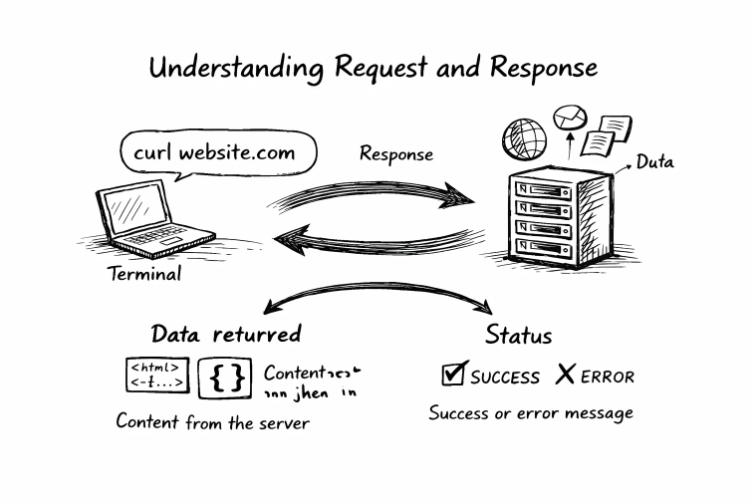
This is most basic command to retrieve data from a server .
What's happening:
curl sends a GET request to the API
The API server responds with all posts in its database (100 fake posts)
The data comes back as JSON (JavaScript Object Notation) - a common data format for APIs
curl displays this raw JSON in your terminal
What does “talking to an API” mean?
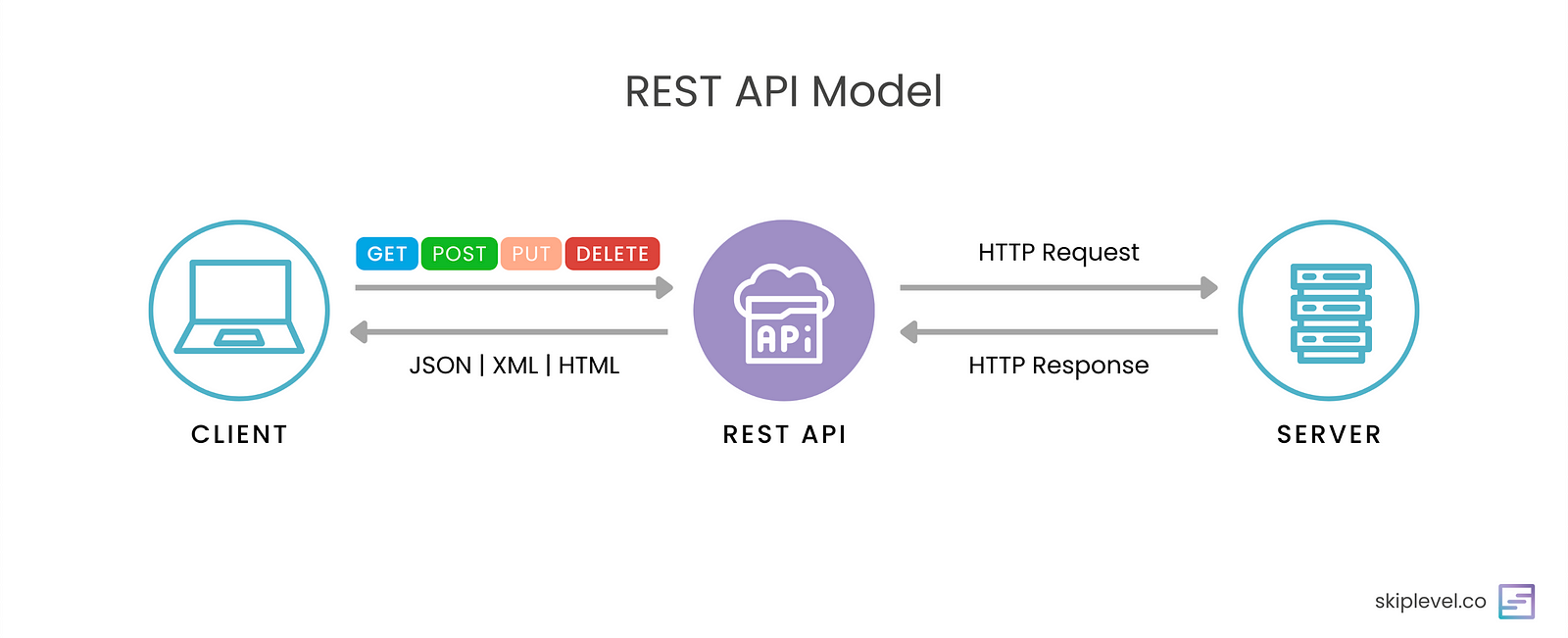
Talking to an API means:
Sending an HTTP request (GET, POST, PUT, DELETE)
Receiving an HTTP response (status code + data)
curl is the tool that lets programmers do this directly from the terminal.
Common mistakes beginner make with cURL:
The beginner not understand the purpose of using curl they just think that this gives us some response but not understand that you can use to debug by reading errors and understanding the status codes.
Beginners not study about status code like 200,404,500 or more , most of the beginner only know about one status code that is 404(not found) and dont study about other status code which is very useful so understanding about status code made a huge impact .
