Understanding HTML Tags and Elements

HTML:
HTML stands for hypertext markup language . HTML is used to define the structure of a web page .
HTML structure is similar to a tree. A tree has one root and other branches in the same way the root element of html is html itself and other are its branches.
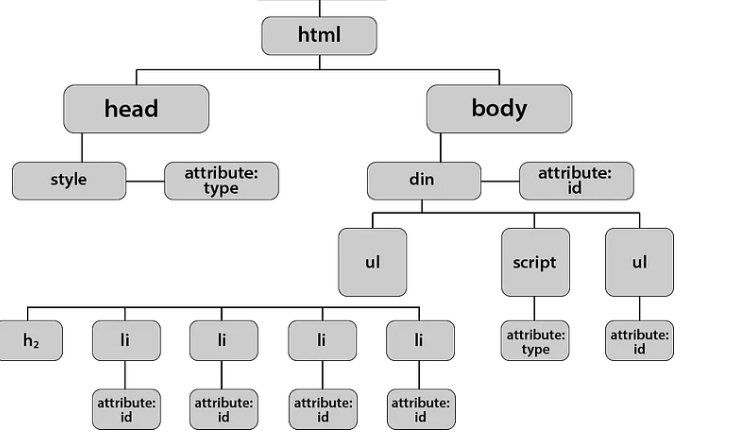
We can understand html with a example:
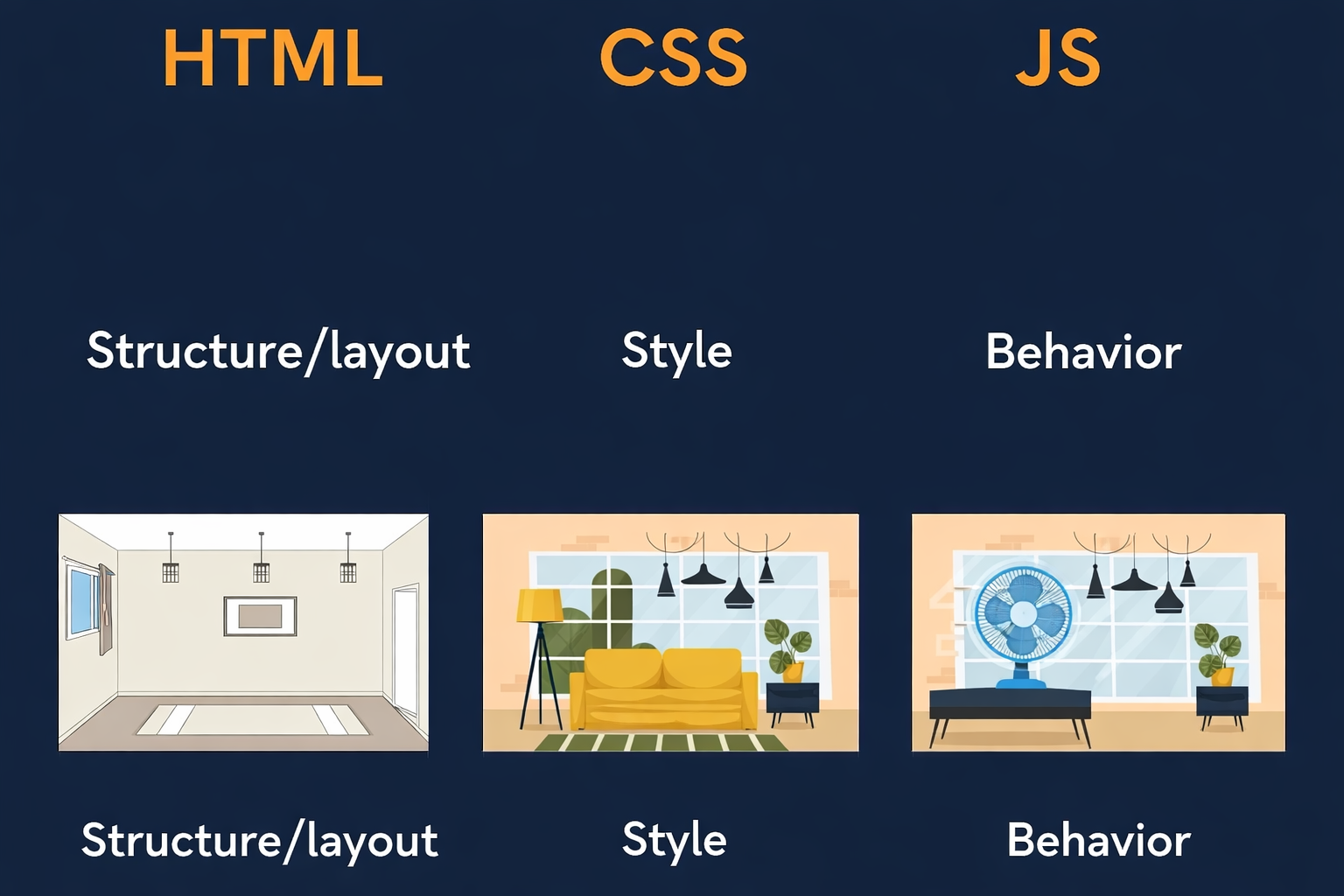
We use three technologies to develop a website:
HTML
CSS
JS
To built a house we need bricks, doors, windows , fans ,buttons similarly html provides some tags which are the basic building blocks for the webpage html provides heading, image , input boxes or more tag to build structure of a website , we use paint to give style to walls similarly we use css to style a website and javascript is used to provide functionality when we click on a button what is gonna happen similar to a button in a house .
Let understand what an html tag is :
An html tag is used to define or display elements on our web page . If we have to add a image on our web page we use image tag , so that tag will display the image to webpage.
<img src="html_logo.png" alt="">
What is a html element?
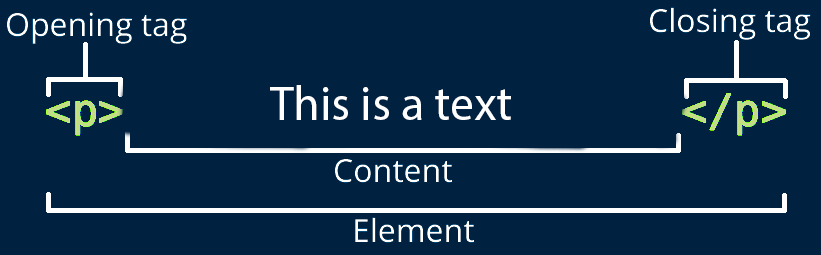
An html element consists of a opening tag a closing tag and some content .
For writing a tag we write the tag name inside the left and right angular bracket (<>),Every closing tag has a / before tag name to identify which is a opening a tag and which is a closing tag . The content is always written inside the opening and closing tag.
What is the need of a closing tag?
HTML is read top to bottom.
Without a closing tag, the browser doesn’t know how much content belongs to that element.
Without closing tag:
<p>Hello
<p>World
Browser gets confused about:
- which text belongs to which paragraph
With closing tag:
<p>Hello</p>
<p>World</p>
clean and predictable
Self closing tags:
In html there are some self closing tag means they have just a single tag which is both opening or closing.
Example:
input
  <input type="text" placeholder="enter your name" >
  <br>
  <input type="email" placeholder="enter your email" >
  <br>
  <input type="number" placeholder="enter your number" >
  <br>
  <input type="date"  >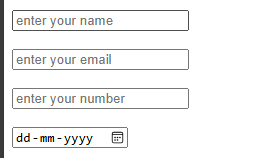
img
<img src="html_logo.png" alt="html logo">
hr
br
They are self closing because there is no need to write some data inside those tag we just use attributes inside this type of tags.
BLOCK and INLINE-ELEMENTS:

Block Elements:
Block element always starts with a new line.
Block elements take full width of a web page
We can set the height and width of block elements
Examples:
P-tag
Heading tags
div
Inline Elements:
Inline element does not starts with a new line.
Block elements take required width.
We can not set the height and width of block elements
Examples:
input
b-tag
span
Commonly used HTML tags:
p-tag, heading tags , input tags , img ,button ,forms, div , span .
<p>Hii i am a programmer</p>
<h1>This is a heading tag</h1>
<input type="text" placeholder="enter your name">
<img src="html_logo.png" alt="">
<button>Click Me</button>
<form>
  <label>Name:</label>
  <input type="text"><br><br>

  <label>Email:</label>
  <input type="email"><br><br>

  <button type="submit">Submit</button>
</form>
